The register, your receipts, returns and cash drawer all work together. Everything that happens at the counter, in one place.
What it’s for
Point of Sale is the counter side of your business. Your team rings up sales, takes cash or card and gives the customer a receipt on their phone. You see how the day is going, look up old receipts, handle returns and balance the cash drawer at closing.
In this part of the app
Register
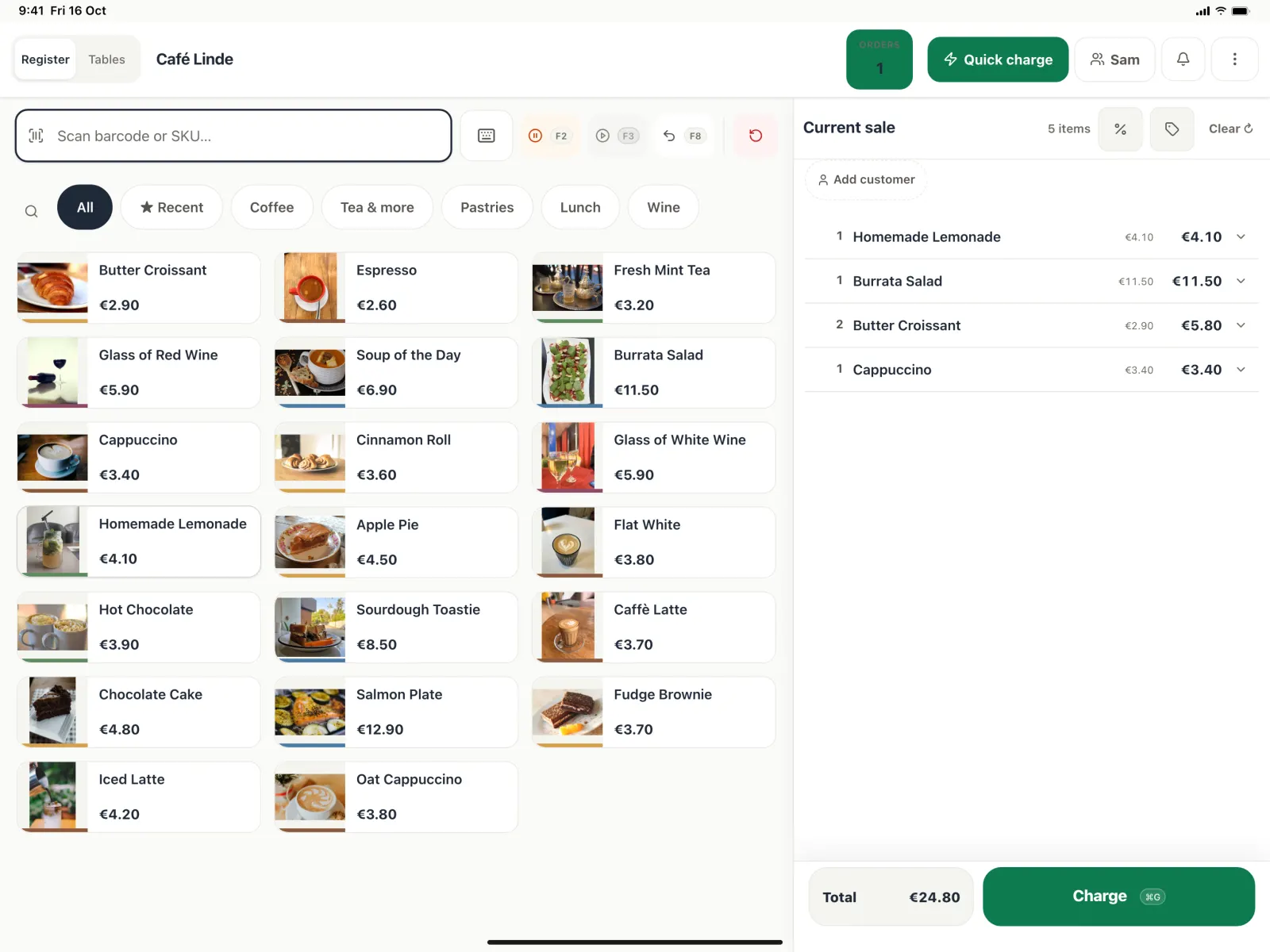
Ring up sales from a grid of products with photos, or scan a barcode with a scanner or the camera. Staff sign in with a PIN, and the register locks when it sits idle.
Options, notes and discounts
Promo codes and gift cards
Split payments and tips
Park an order and come back to it
A customer display with a QR receipt
Dashboard
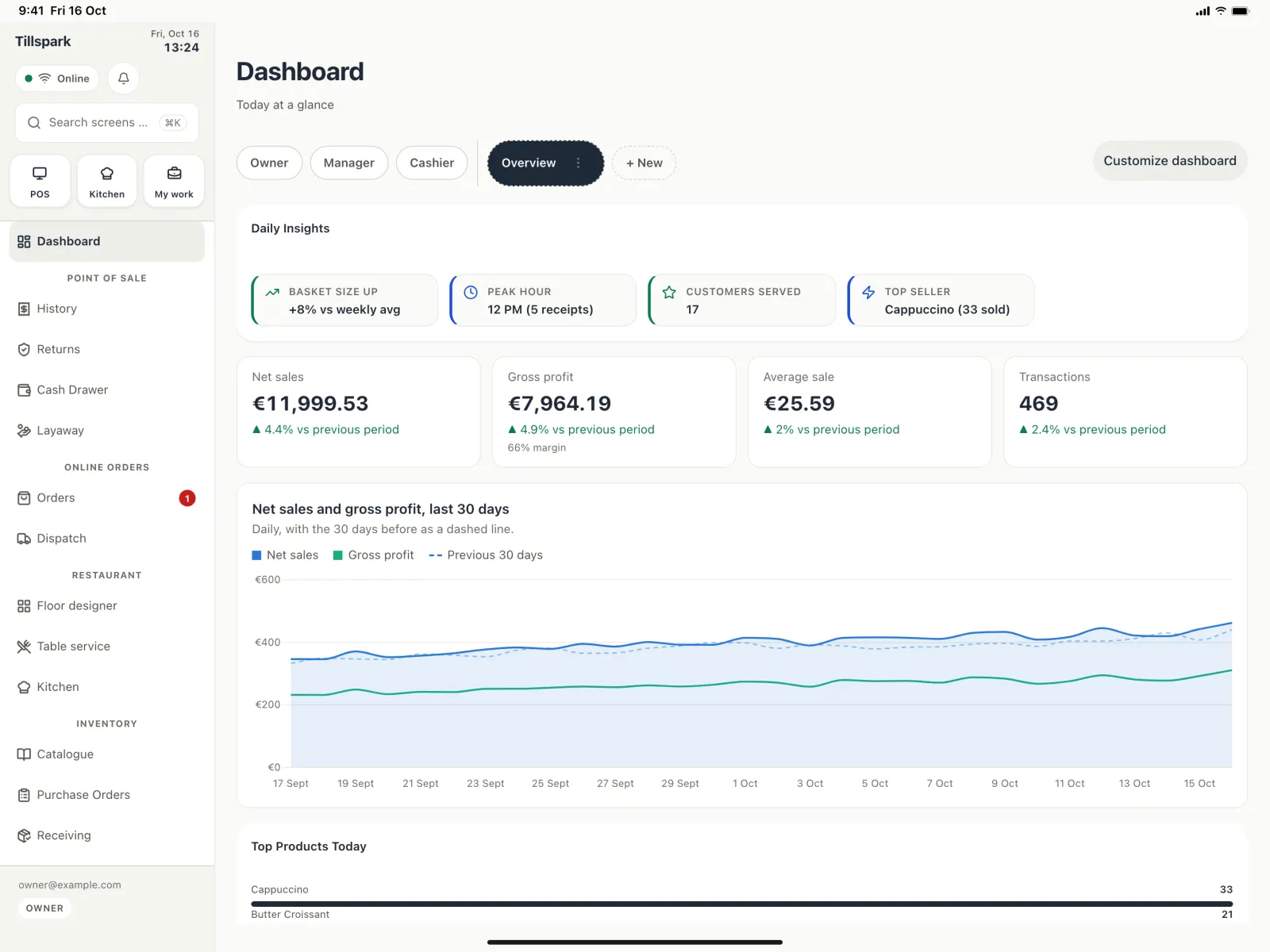
Open the app and see how today is going. It is pinned above the rest of the menu so it is always one tap away.
Net sales and gross profit today
Sales by category
Your latest receipts
Low-stock warnings
A checklist to get started
History
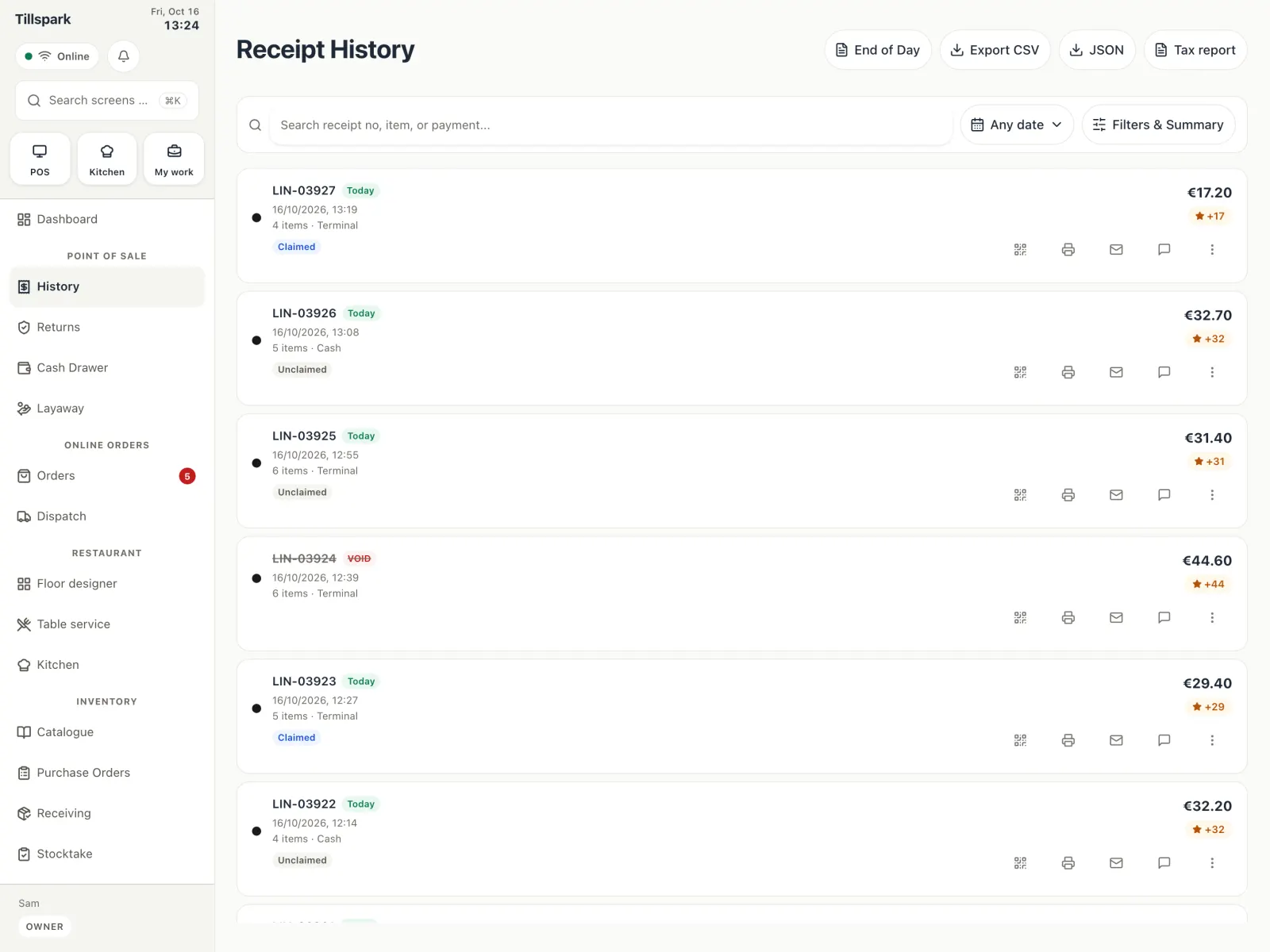
Every receipt and invoice in one list. Search, filter by date or type, and open whichever one you need.
Void, refund or exchange (managers and owners)
Reprint, save as PDF, or send again by email or SMS
Exports for your accounting and taxes
Returns
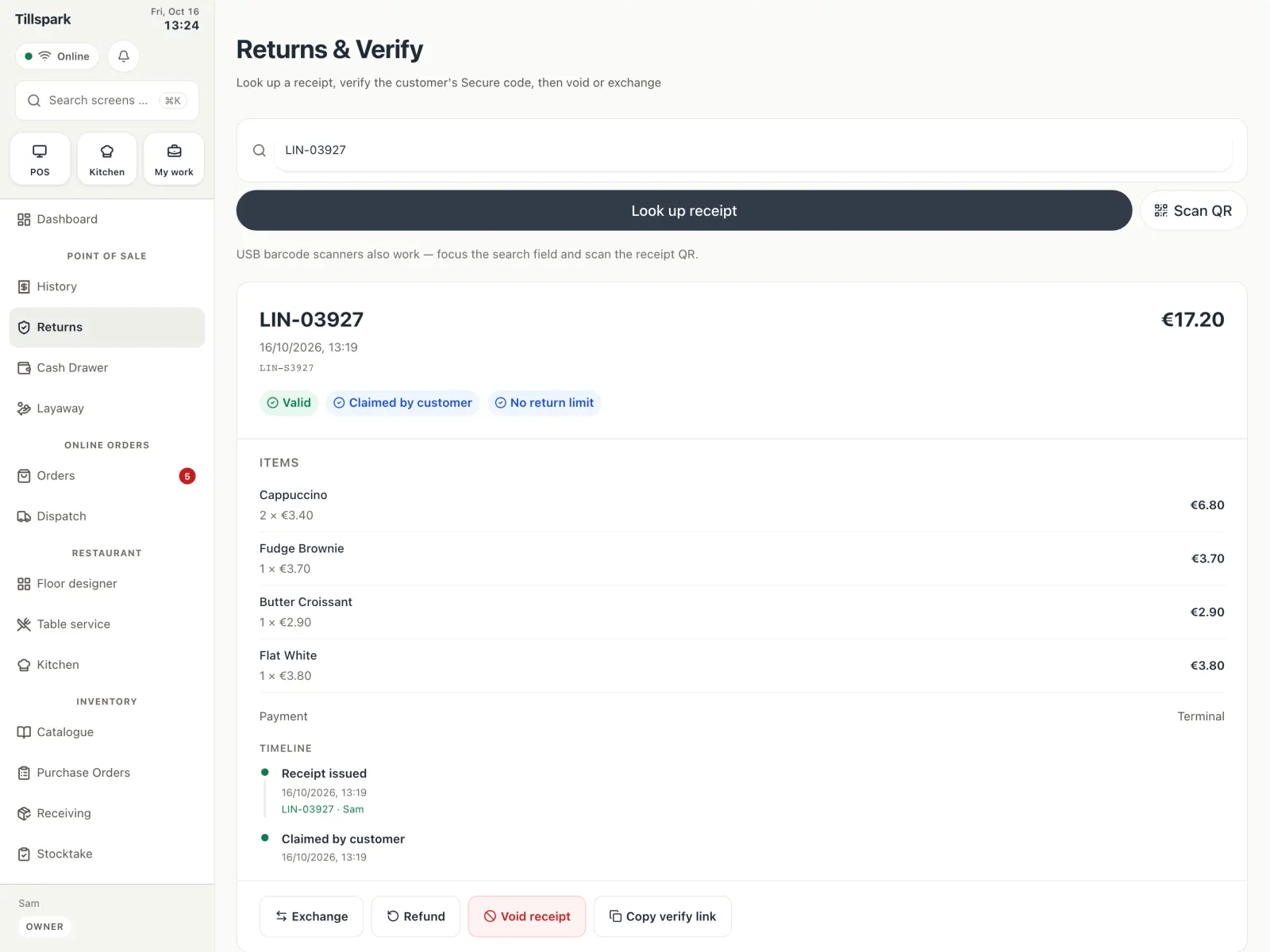
Find the original receipt and take the item back, without any paper.
Look up a receipt by number, scanned QR code or link
Check the secure code if you want to
See the history of the receipt
Keep an eye on the return window
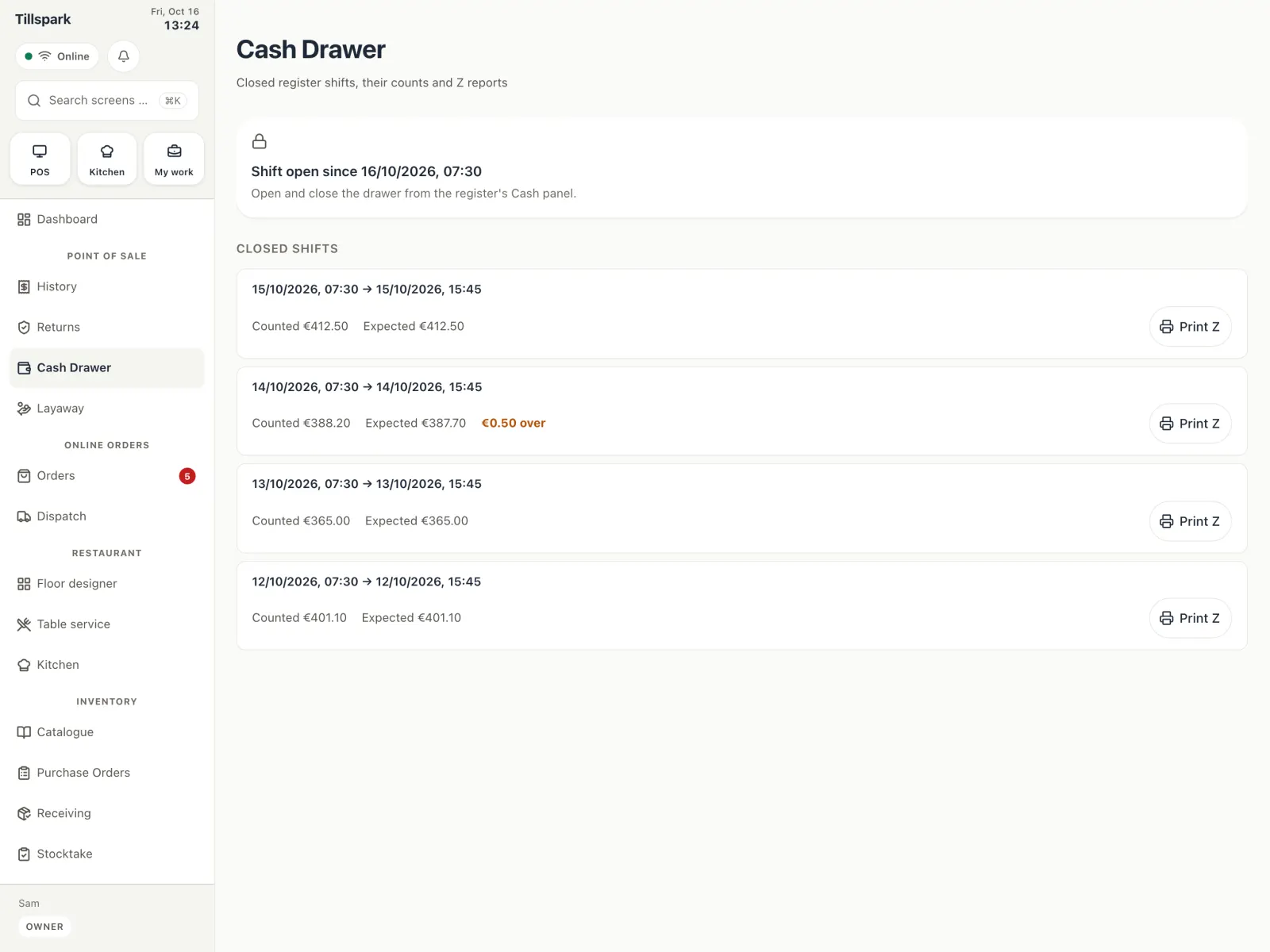
Cash drawer
Know exactly how much cash should be in the drawer, and see the difference when you count it.